2024 · Awumba Solutions
A school system built for 3G, not fiber.
I turned paper school ledgers into one system four roles run on.
Quick overview
- Year
- 2024
- Company
- Awumba Solutions
- Role
- UX/UI Designer, UX Writer, Brand Designer
- Team
- Product Owner, engineering team, and one junior designer I mentored – coordinated in Figma, Microsoft Teams, and Miro
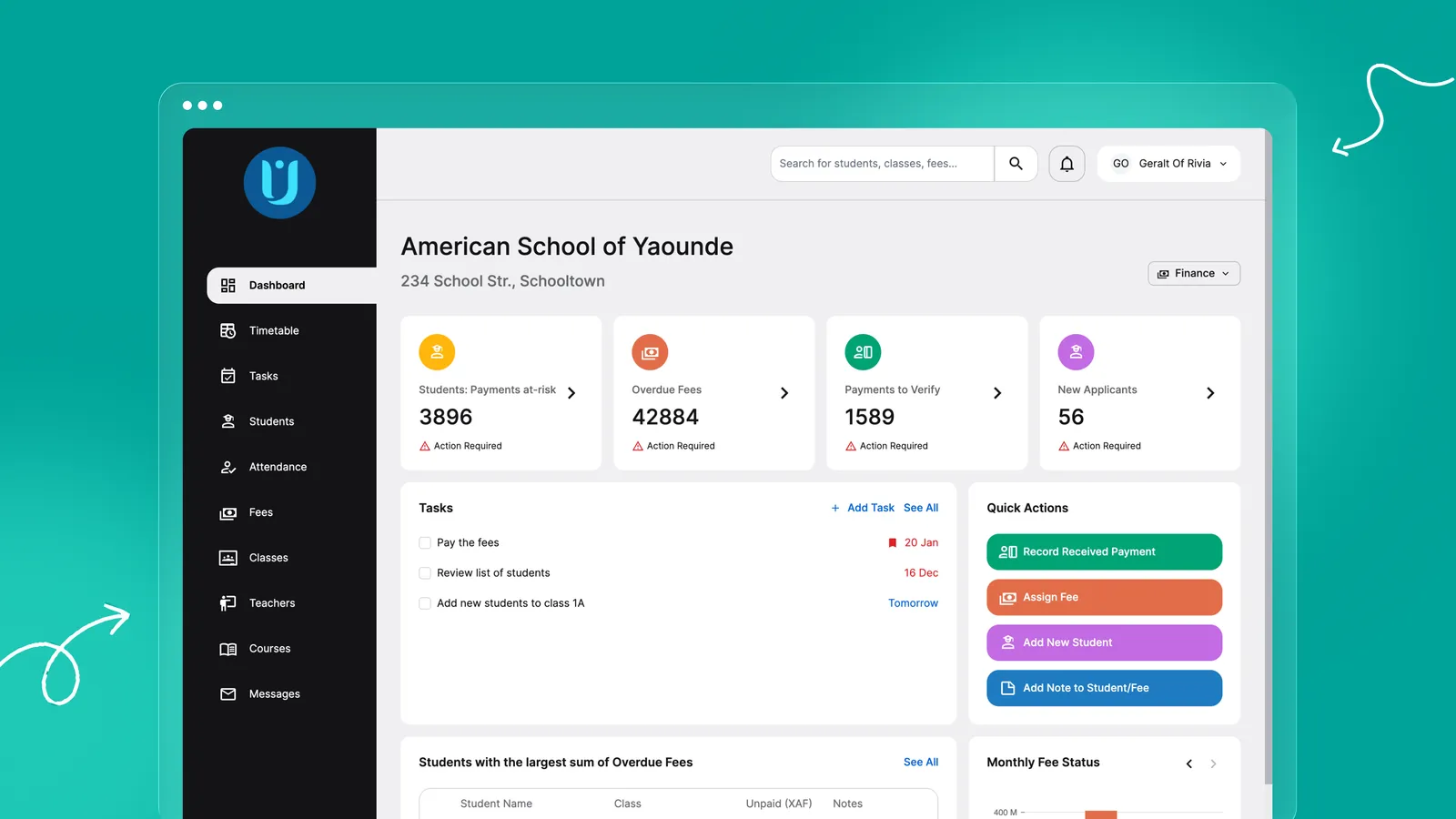
Designed AcademIQ's system from scratch – a school-management product for Awumba Schools, replacing paper ledgers with software built to work for owners, principals, teachers, and parents on unreliable 3G connections.
As Lead UX/UI Designer, I led end-to-end design on a product-launch consultancy engagement for Awumba Schools – transforming a purely analog, paper-based way of running a school into AcademIQ, a streamlined digital platform built for owners, principals, teachers, and parents alike.
The context
My role & leadership
I owned the entire product design from 0 to 1. That meant leading the end-to-end design process across four distinct systems, building a scalable design system from scratch, collaborating directly with the Product Owner and engineering team, and onboarding and supervising a junior designer to keep the team’s output consistent as the project grew.
Decoding local workflows
There was no existing digital system to extend – just hundreds of scanned documents: handwritten receipts, fee overviews, attendance logs, stamped semester results. Mapping the real data architecture out of that paper trail, before a single screen got designed, was closer to digital detective work than a research sprint.
Designing for this market also ruled out most Western “minimalist” defaults outright:
- The “millions” UI challenge. Local currency (CFA) often reaches seven figures for school fees. I designed high-density data tables that stayed legible and functional despite the long numerical strings.
- Visual clarity. We opted for a vibrant, high-contrast flat design – not just an aesthetic choice, but one that kept the interface easy to read on inconsistent screens and in bright environments.
- Connectivity. Knowing internet access could be unstable, I kept the UI lightweight to ensure performance on 3G networks.
The solution: an unified multi-user system
I translated the “analog logic” found in the physical ledger books into digital requirements, making sure every feature solved a specific friction point for one of four archetypes.
For the school owner & administrator (Desktop)
User story: “As a School Owner, I want a bird’s-eye view of revenue and overdue fees so I can ensure the school’s financial stability.” Feature: a prioritised financial dashboard that replaces vulnerable paper logs with automated debt tracking.
For the school principal (Desktop)
User story: “As a Principal, I want to digitize student enrollment and academic history so I can eliminate physical filing errors.” Feature: a centralised student-management module handling the entire lifecycle, from registration to final graduation.
For the teacher (Desktop/Tablet)
User story: “As a Teacher, I want to enter grades and attendance digitally so I can spend more time teaching and less time on paperwork.” Feature: a rapid-entry grading portal designed to mirror the structure of the traditional semester-results sheets teachers already knew.
For the parent (Mobile App)
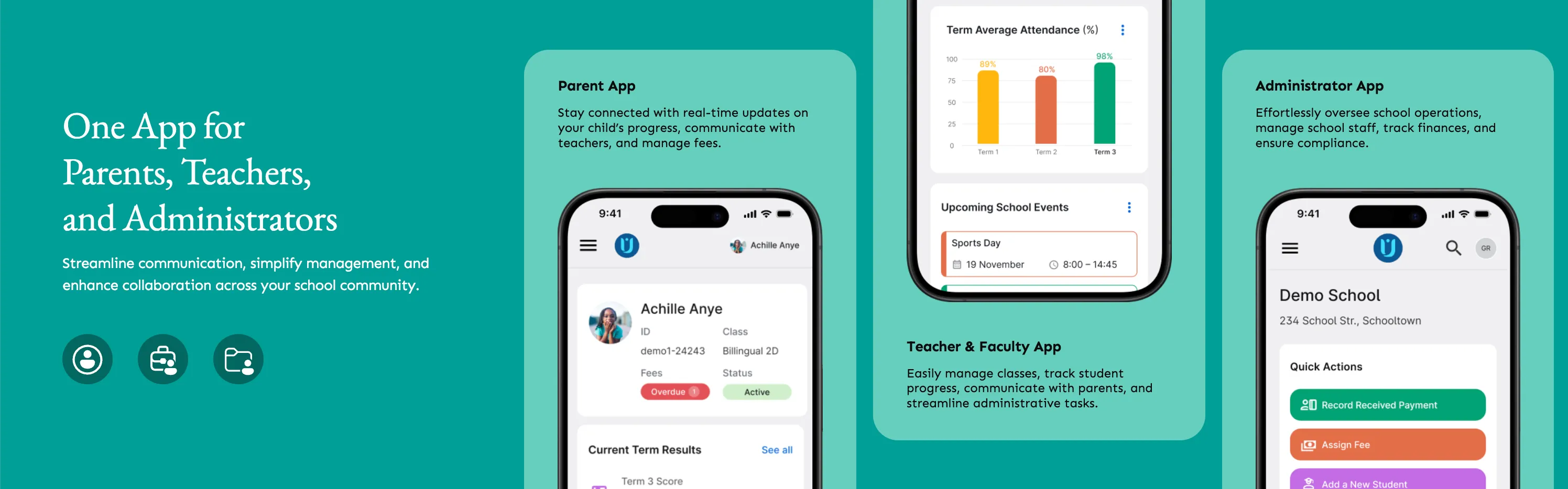
User story: “As a Parent, I want real-time access to my child’s progress and fee balances so I can stay actively involved in their education.” Feature: a mobile-first app delivering instant notifications on grades, absences, and upcoming payments.
Design execution
Building an atomic design system from 0
To manage the complexity of four interconnected systems, I architected a scalable design system from scratch – a modular UI kit built on atomic design principles, with every button, table and modal specifically optimised to handle high-density data and long numerical strings. That systematic approach allowed for rapid prototyping and kept the product cohesive as the feature set expanded.
Core functionality deep dive
- Customised user dashboards – a tailored experience for each role (Principal, Teacher, Parent), so every user had immediate access to their most relevant tools.
- Comprehensive reporting – automated generation of termly and yearly report cards, reflecting academic achievement without the risk of manual calculation errors.
- Secure activity recording – logged transactions and activity to safeguard financial data, a critical feature for schools handling multi-million-CFA transactions.
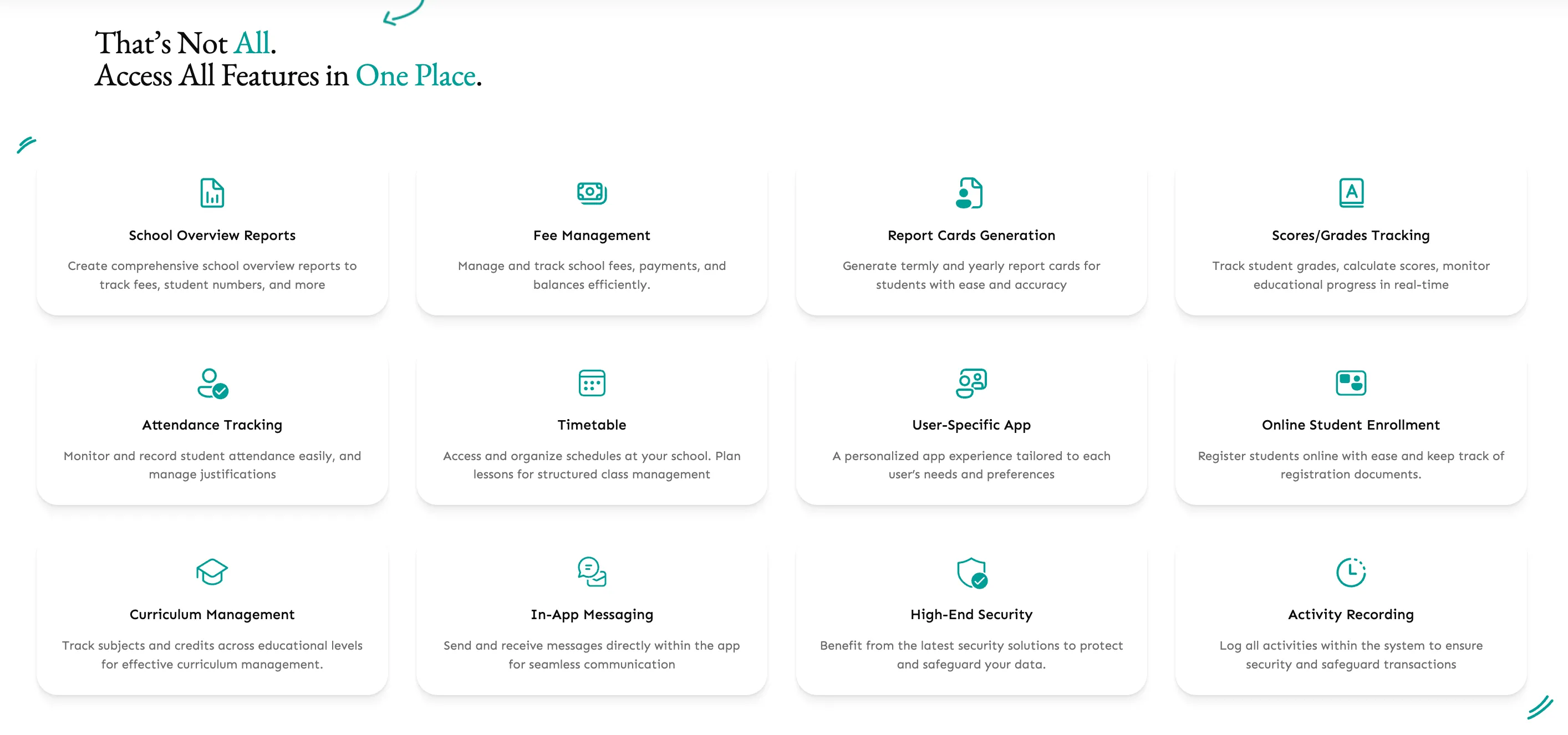
Because most users were coming to digital tools for the first time, we also built an extensive library of step-by-step video tutorials, which became a core part of our implementation strategy.
Phased product development
To ensure stability and quality, we avoided a simultaneous launch and developed the ecosystem sequentially, role by role:
- Administrative foundation. We prioritised the Owner/Admin role first, to establish the core financial and database logic.
- Academic expansion. Once the database was stable, we developed the Teacher and Principal portals.
- Parent engagement. The mobile app was the final piece, pulling real-time data from the already-established school systems.
Color-coding strategy
Every module went through multiple iterations. We used field feedback from our on-site representative to refine flows and make sure the logic matched users’ mental models. One outcome of those feedback loops was a strict color-coding system: we mapped specific colors to specific categories of action across the entire platform – everything related to money and fees, for instance, shared one consistent color anchor. It became a vital visual guide, letting people read the context of a task at a glance.
Summary & reflections
Academiq’s success was built on systemic thinking. By creating a robust design system and a sequential roadmap, we launched four interconnected products while maintaining 100% consistency.
Impact: successful digitalisation of offline school workflows, significantly reducing filing errors and increasing financial transparency.
This project also taught me that seniority is measured by how effectively I can enable others. Mentoring a junior designer showed me that my impact multiplies when I step back from the pixels to focus on guidance – making sure she could navigate the complex logic using the systems I’d built, while the overall product vision stayed intact.